- Home
- Electronics
- Computer Components
- Best Gaming Monitors Under $20 ...


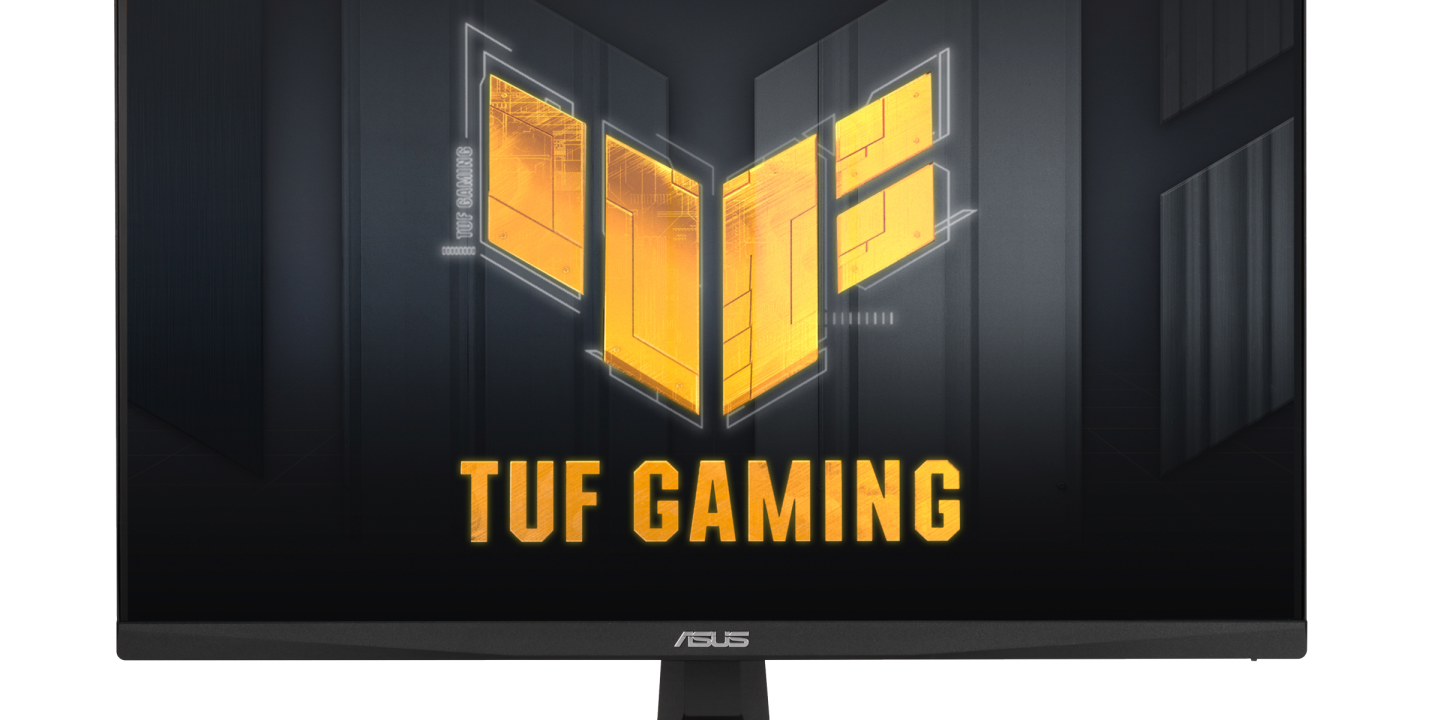
Two hundred dollars buys a genuinely good gaming monitor in 2026 — not a washed-out 60Hz office panel, but a fast IPS screen running at 180Hz or even 240Hz, with adaptive sync and colours that hold up in both games and everyday work. The budget end of the market has changed fast: 1440p panels now dip under $200 on sale, and 1080p esports screens have become so cheap that refresh rate is no longer the thing you compromise on. This guide compares the best gaming monitors under $200 in 2026, based on published specs from the manufacturers, so you can see exactly what your money buys.
Every monitor here is a real, current model you can buy from a major brand, with an IPS-type panel — we skipped VA panels in this price range because their dark-scene smearing is too noticeable in fast games. Prices move with sales, so treat the figures below as a snapshot — last checked: 18 Nov 2026.
Contents
- Best gaming monitors under $200 at a glance
- ASUS TUF VG249Q3A — best overall
- AOC 24G4 — best value
- LG UltraGear 24GS60F-B — best simple pick
- MSI MAG 245F — best for competitive play
- LG UltraGear 27GS75Q-B — best 1440p under $200
- What to check before you buy
- Final verdict
- Frequently asked questions
Best gaming monitors under $200 at a glance
| Monitor | Size / Resolution | Panel | Refresh rate | Typical price* |
|---|---|---|---|---|
| ASUS TUF VG249Q3A | 23.8-inch, 1920 x 1080 | Fast IPS | 180Hz | About $140–$149 |
| AOC 24G4 | 23.8-inch, 1920 x 1080 | Fast IPS | 180Hz | About $100–$130 |
| LG UltraGear 24GS60F-B | 24-inch, 1920 x 1080 | IPS | 180Hz | About $150 |
| MSI MAG 245F | 23.8-inch, 1920 x 1080 | Rapid IPS | 240Hz | About $110 |
| LG UltraGear 27GS75Q-B | 27-inch, 2560 x 1440 | IPS | 180Hz | About $170–$200 |
*Prices are typical US street prices seen at major retailers, last checked: 18 Nov 2026. Sale prices can dip lower; always confirm the live price before ordering.
ASUS TUF VG249Q3A — best gaming monitor under $200 overall

The ASUS TUF Gaming VG249Q3A is the safest buy in this whole guide. It is a 23.8-inch Full HD Fast IPS panel running at 180Hz, with a marketed 1ms (GTG) response time, AMD FreeSync Premium, and ASUS Extreme Low Motion Blur (ELMB) strobing to cut ghosting further. ASUS lists it at $149 on its own eShop, and it has been seen at $139.99 at Adorama. You get a big-brand warranty, wide availability, and a 99% sRGB colour gamut, which makes it as good for photo editing and video as it is for shooters.
What holds it back is brightness: 250 nits and HDR10 support in name only, so do not buy it expecting real HDR. The stand is tilt-only, with no height adjustment, which is the usual compromise at this price — a cheap monitor arm fixes that for about $30. For most gamers, though, this is the default recommendation: fast, accurate, and backed by ASUS support. See the full specifications on the official ASUS TUF VG249Q3A page.
What we love: 180Hz Fast IPS at a fair price; FreeSync Premium and ELMB; 99% sRGB; strong warranty and availability. Considerations: 250-nit brightness, no real HDR; tilt-only stand; 1080p only.
AOC 24G4 — best value gaming monitor under $200
The AOC 24G4 is the successor to the much-loved 24G2, and it is the cheapest way to get a genuinely good 180Hz Fast IPS panel. The spec sheet reads like a monitor costing twice as much: 23.8-inch 1920 x 1080 Fast IPS, 180Hz over both DisplayPort and HDMI, a marketed 1ms GtG / 0.5ms MPRT response, Adaptive-Sync with G-Sync Compatible support on units made from June 2024, and HDR10 support. Typical street prices sit around $100–$130, which leaves money in your budget for a better GPU or a second monitor.
The trade-offs are the usual budget ones: a basic stand, modest brightness, and HDR that is a checkbox rather than a feature. But the panel itself is the star, and for competitive games at 1080p it is hard to argue with 180Hz for around $110. If your budget is tight, start here and spend the savings elsewhere in your setup.
What we love: lowest price for a true 180Hz Fast IPS panel; 180Hz over HDMI as well as DisplayPort; G-Sync Compatible. Considerations: basic stand and build; HDR is nominal only; brightness is modest.
LG UltraGear 24GS60F-B — best simple pick
Some buyers do not want to compare five similar spec sheets — they want one monitor from a brand they trust, at a fair price, that just works. The LG UltraGear 24GS60F-B is that monitor: a 24-inch Full HD IPS panel at 180Hz, with support for both NVIDIA G-Sync Compatible and AMD FreeSync, listed at $149.99 on LG’s own site. There is nothing flashy here, and that is the point. It is a straightforward, well-built 180Hz gaming screen with LG’s UltraGear tuning and a clean, understated design that suits a work desk as well as a gaming setup.
Against the ASUS it gives up ELMB strobing and some colour-gamut bragging rights, and against the MSI below it gives up 60Hz of refresh rate. What it offers in return is simplicity and a brand whose panels are used across the industry. If you want to buy once and stop thinking about monitors, this is a strong choice.
What we love: clean, no-fuss 180Hz IPS from a major panel maker; G-Sync Compatible and FreeSync; $149.99 list price. Considerations: no motion-blur strobing; fewer gaming extras than the ASUS; tilt-only stand.
MSI MAG 245F — best gaming monitor under $200 for competitive play
If you play competitive shooters, refresh rate is the spec that matters most, and the MSI MAG 245F is the only monitor in this guide that reaches 240Hz while staying well under $200 — it has been listed at $109.99 at B&H. That is a 23.8-inch 1920 x 1080 Rapid IPS panel running at 240Hz over HDMI or DisplayPort, which is the kind of speed that used to cost $300 or more. For Valorant, CS2, Apex Legends and similar games, the step from 180Hz to 240Hz is genuinely noticeable in tracking fast-moving targets.
The catch is that 240Hz only helps if your PC can actually push 240 frames per second, which needs a capable GPU and lowered settings in demanding games. The panel is also a straightforward 1080p screen, so it is less impressive for cinematic single-player games or productivity than the 1440p LG below. But for pure competitive play on a budget, nothing else in this price range comes close.
What we love: 240Hz Rapid IPS for about $110; 240Hz over both HDMI and DisplayPort; excellent value for esports. Considerations: needs a strong GPU to use the full refresh rate; 1080p only; basic stand.
LG UltraGear 27GS75Q-B — best 1440p gaming monitor under $200
The most interesting thing about the budget monitor market in 2026 is that 1440p has arrived under $200. The LG UltraGear 27GS75Q-B is a 27-inch 2560 x 1440 IPS panel — the sweet spot of sharpness and performance — with a high refresh rate and a typical street price of $170–$200. At 27 inches, 1440p gives you about 109 pixels per inch, noticeably sharper than 1080p at the same size, and it makes both games and desktop work look substantially better. See the details on the official LG UltraGear 27GS75Q-B page.
The compromise is frame rate: driving 1440p needs roughly 70% more GPU power than 1080p, so budget graphics cards will run at lower settings or lower frame rates. If your GPU is an entry-level card, one of the 1080p picks above is the smarter match. But if your PC can handle it, this is the best-looking monitor in the guide, and the one we would pick for a mix of gaming and everyday use.
What we love: sharp 27-inch 1440p IPS panel; high refresh rate; best all-round image quality here. Considerations: needs a stronger GPU than 1080p picks; sits at the top of the budget; price varies by retailer.
What to check before you buy a gaming monitor under $200
Refresh rate is the headline number, but three other specs decide whether a cheap monitor actually feels good. First, the panel: IPS (or Fast IPS / Rapid IPS) is the safe choice, with wide viewing angles and clean motion; budget VA panels often smear in dark scenes. Second, adaptive sync: make sure the monitor supports FreeSync or G-Sync Compatible, so your frame rate and refresh rate stay in step without tearing. Third, the ports: 180Hz and above usually needs DisplayPort, so check your GPU has a free DisplayPort output — some budget monitors only reach their top refresh rate over one input.
Also check the stand. Most monitors under $200 have tilt-only stands with no height adjustment, which is fine if your desk and chair are already at the right height, but a VESA mount or monitor arm is a cheap fix if they are not. And beware of marketing numbers: “1ms MPRT” is a backlight-strobe figure, not a true pixel response time, and “HDR10” on a 250-nit panel means very little. Judge a budget monitor on refresh rate, panel type, and adaptive sync — the rest is decoration.
If you are building a whole setup, pair your new monitor with a capable graphics card — our guide to high-refresh gaming monitors explains the panel technologies in more depth, and our wireless gaming mice guide covers the other half of a competitive setup.
Final verdict
For most gamers, the ASUS TUF VG249Q3A is the best gaming monitor under $200 in 2026: a fast 180Hz Fast IPS panel from a major brand at about $140–$149, with FreeSync Premium, ELMB, and 99% sRGB colour. If money is tight, the AOC 24G4 delivers the same core experience for around $100–$130. Competitive players should grab the MSI MAG 245F and its 240Hz panel for about $110, while anyone whose GPU can drive it should stretch to the 27-inch 1440p LG UltraGear 27GS75Q-B at $170–$200. Whichever you choose, you are getting a monitor that would have cost twice as much two years ago — based on published specs, last checked: 18 Nov 2026.
Frequently asked questions
Is 1080p still good enough for gaming in 2026?
Yes, for competitive play and budget builds. At 24 inches, 1080p looks sharp at normal viewing distance, and it lets entry-level graphics cards reach the high frame rates that 180Hz and 240Hz panels need. Choose 1440p if you have a stronger GPU and a 27-inch screen.
What refresh rate do I actually need?
144Hz is the minimum worth buying for gaming in 2026; 180Hz is the current budget sweet spot, and 240Hz helps in competitive shooters if your PC can sustain 240 frames per second. Above 240Hz, the gains are small for most players.
Do I need G-Sync or FreeSync?
Yes — adaptive sync stops screen tearing and stutter when your frame rate does not match the refresh rate. Every monitor in this guide supports FreeSync, and most are also G-Sync Compatible, so they work with both AMD and NVIDIA graphics cards.
Is HDR worth caring about on a sub-$200 monitor?
Not really. Budget monitors in this price range typically peak at 250–300 nits, which is far below what real HDR needs. Treat “HDR10” on a budget spec sheet as a checkbox, and judge the monitor on its refresh rate, panel type, and colour instead.
Can I use these monitors with a PS5 or Xbox Series X?
Yes. All five have HDMI inputs and work with consoles, though consoles typically output at 120Hz maximum, so the extra refresh rate above that is only useful on PC. The 1440p LG is a good console match, as modern consoles support 1440p output.