- Home
- Electronics
- Gaming Consoles and Accessories
- Best Handheld Gaming Accessori ...


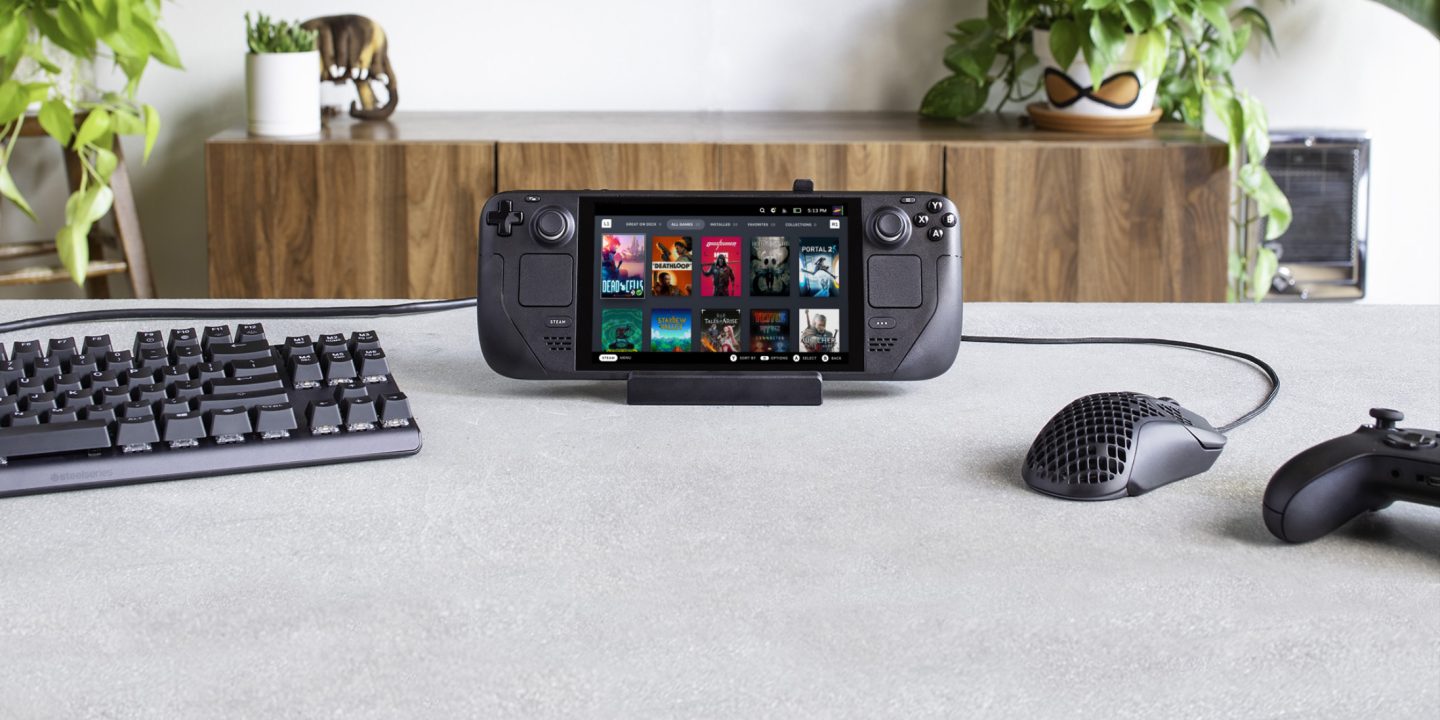
A Steam Deck or a ROG Ally is a complete gaming PC in your hands — until you want to play on the TV, carry it safely, or keep playing past the battery. That is where accessories earn their keep. The right dock turns your handheld into a console, the right case saves it from a cracked screen, and the right grip stops your hands aching after an hour. This guide rounds up the best handheld gaming accessories for 2026, covering docks, grips and cases for the Steam Deck and the ROG Ally, based on published specs and current pricing — with no hands-on testing claimed.
Last checked: 18 Nov 2026. Prices are list prices from the manufacturers and retailers; price varies by retailer, so check the live price before you buy.
Table of Contents
- The Picks at a Glance
- Valve Steam Deck Docking Station: Best Official Dock
- JSAUX 6-in-1 Dock HB0603: Best Value Dock
- JSAUX ModCase: Best Value Case
- dbrand Killswitch: Best Premium Case
- Skull & Co. GripCase SD: Best Grip
- Storage and Power: microSD and Controllers
- What About the ROG Ally?
- Final Verdict
- Frequently Asked Questions
The Picks at a Glance
| Accessory | Type | Typical Price | Fits | Best For |
|---|---|---|---|---|
| Valve Steam Deck Docking Station | Dock | $79 | Steam Deck | Cleanest first-party setup |
| JSAUX 6-in-1 Dock HB0603 | Dock | ~$30-45 | Deck, Ally, Legion Go | Best value dock |
| JSAUX ModCase | Case + grip + kickstand | $29.99 | Steam Deck LCD/OLED | Best value protection |
| dbrand Killswitch Essential kit | Case + grip | $59.95 | Steam Deck | Premium protection |
| Skull & Co. GripCase SD | Grip case | $26.99 list | Steam Deck | Comfort on a budget |
| Samsung PRO Plus microSD | Storage | Price varies | Deck, Ally | More games, no surgery |
| 8BitDo Ultimate 2C Wireless | Controller | $29.99 | Deck, PC | Docked play |
Valve Steam Deck Docking Station: Best Official Dock

The official Steam Deck Docking Station is still the safest dock pick if you want the accessory Valve designed around the Deck itself. Valve’s own specifications list three USB-A 3.1 ports, Gigabit Ethernet, DisplayPort 1.4 and HDMI 2.0, with video output up to 4K at 60Hz or 1440p at 120Hz, plus FreeSync support and an included power supply with a 1.5-metre cable. It costs $79 in the US Steam store, and it comes with firmware support from Valve, which matters when SteamOS updates change how docks behave.
The official dock is the right choice if you want zero guesswork: it fits the Deck perfectly, it is guaranteed to work with SteamOS updates, and the DisplayPort output is something most third-party docks skip. The downside is price — it costs roughly twice as much as the best third-party docks — and it is designed for the Steam Deck, not the ROG Ally or other handhelds.
What we love: First-party fit and firmware support, DisplayPort 1.4 plus HDMI 2.0, Gigabit Ethernet, included power supply, up to 4K 60Hz or 1440p 120Hz.
Considerations: $79 is pricey next to third-party docks, Steam Deck only, no HDMI 2.1 for 4K 120Hz.
JSAUX 6-in-1 Dock HB0603: Best Value Dock
The JSAUX 6-in-1 Docking Station (HB0603) has become the default Steam Deck dock recommendation, and with over 4,200 Amazon reviews it has earned the spot. It offers 4K at 120Hz HDMI output, Gigabit Ethernet, 100W power delivery passthrough charging and three USB 3.0 ports in a compact aluminium frame, and it typically lists for around $30-45 — roughly half the price of Valve’s official dock with a higher-refresh HDMI output.
The build quality is notably good for the price, with a solid aluminium body and rubber grips that stop the dock scratching your Deck. It also works with the ROG Ally and the Lenovo Legion Go, so one dock covers every handheld you own. The honest caveats come from owner reports: some users report brief audio crackling or dropouts with USB audio devices, and there are sporadic reports of docks failing after 6-12 months. At this price, though, it is the value pick — and the smaller JSAUX 5-in-1 dock (HB0602) is even cheaper if you can live with 100Mbps Ethernet and two USB 2.0 ports instead of Gigabit and USB 3.0.
What we love: 4K 120Hz HDMI, Gigabit Ethernet, 100W passthrough charging, aluminium build, works with Deck, Ally and Legion Go, around $30-45.
Considerations: Occasional audio dropouts reported by owners, no DisplayPort, some reports of failures after 6-12 months.
JSAUX ModCase: Best Value Case
The JSAUX ModCase is the easiest case recommendation for anyone who wants real protection without turning handheld accessories into a luxury hobby. JSAUX lists the ModCase basic set for Steam Deck LCD and OLED at $29.99, and it includes a protective back shell, a travel front cover, a metal kickstand and a modular slider on the back for attaching JSAUX add-ons — including an optional cooling fan.
What makes the ModCase clever is that it stays on your Deck while you play: the shell adds grip and impact protection, the kickstand props the Deck up for tabletop play, and the front cover snaps on for travel. The modular ecosystem is genuinely useful rather than a gimmick, and the price undercuts premium cases by half. The trade-off is bulk — it adds more to the Deck than a slim case — and some docks will not fit with the case on, so check your dock before you buy both.
What we love: $29.99 for case, cover and kickstand, modular add-ons including a cooling fan, stays on while you play, metal kickstand.
Considerations: Adds noticeable bulk, may not fit some docks with the case on, front cover is an extra piece to keep track of.
dbrand Killswitch: Best Premium Case
The dbrand Killswitch is the premium tier, and it feels like it. The Essential kit starts at $59.95 and uses a two-piece design: an adhesive-backed grip skin that wraps the Deck, plus a hard travel cover that snaps on over it. dbrand claims the travel cover offers serious crush protection, and the ergonomic grip texture genuinely improves handling during long sessions. It is sold directly by dbrand rather than through Amazon, which is worth knowing if you prefer one-stop shopping.
Buy the Killswitch if protection and feel matter more than price. Buy the ModCase if value matters more — the Killswitch costs about twice as much for a better-feeling grip and a tougher travel cover, not for twice the protection.
What we love: Best-feeling grip in this guide, tough travel cover, premium materials, precise fit.
Considerations: $59.95 is twice the ModCase, sold direct only, adhesive grip skin is semi-permanent.
Skull & Co. GripCase SD: Best Grip
If comfort is the priority and the budget is tight, the Skull & Co. GripCase SD is the value pick. It is a soft TPU shell with textured palm grips and a built-in 75-degree stand, listed at $26.99 and routinely found for $17-22 on sale. It adds genuine grip where the stock backplate is slippery, and — unlike bulkier cases — it stays on when you dock, so you do not have to strip the case every time you want to play on the TV.
Pair it with Skull & Co.’s thumb grips, which come in three styles and three heights, for a cheap comfort upgrade that makes a real difference in long sessions. A tempered glass screen protector is the other sub-$10 essential: JSAUX’s two-pack with an installation frame is a popular pick, and it is the cheapest insurance against a scratched or cracked screen.
What we love: $26.99 list, often $17-22 on sale, great palm grip, built-in stand, dock-compatible so it stays on.
Considerations: Less drop protection than a hard case, TPU can yellow over time, no front cover included.
Storage and Power: microSD and Controllers
The single biggest quality-of-life upgrade for any handheld is storage. A Steam Deck fills up fast, and a microSD card doubles your library without opening the device. The Samsung PRO Plus is the near-universal community recommendation, with sequential read speeds up to 180MB/s and write speeds up to 130MB/s — fast enough that games load quickly from the card — and the SanDisk Extreme 1TB is the pick if your library has already outgrown the internal SSD. Buy from a reputable retailer, because counterfeit cards are common.
For docked play, the 8BitDo Ultimate 2C Wireless controller is the value pick at $29.99, and it pairs easily with the Deck. A power bank is the other travel essential: the JSAUX ModCase is available as a bundle with a 20,000mAh power bank for $79.99, which owners report adds hours of unplugged play. And if you are choosing between handhelds in the first place, our Steam Deck OLED vs ROG Ally X vs Lenovo Legion Go showdown compares battery life, ergonomics and performance. For the wider picture, our essential gaming accessories guide covers the gear every serious gamer needs. Full specifications are on the official Steam Deck Dock page and at JSAUX.
What About the ROG Ally?
Most Steam Deck accessories work with the ROG Ally too, with two exceptions. First, cases are shaped per device: the JSAUX ModCase is Deck-specific, so Ally owners need an Ally-specific case — JSAUX makes one, and its hard-shell carrying case fits both the Deck and the Ally. Second, docks are universal: the JSAUX 6-in-1 dock, the official Steam Deck dock and most USB-C docks work with the Ally, the Legion Go and the MSI Claw, because they all use the same USB-C DisplayPort Alt Mode standard. The one exception is the Xbox Ally X, whose extra-large grips do not fit some older docks — check compatibility before you buy. Screen protectors and microSD cards are universal, and the same Samsung PRO Plus card that serves a Deck serves an Ally.
Final Verdict
Start with the essentials: a dock, a case and storage. The JSAUX 6-in-1 dock at around $30-45 is the best value way to play on the TV, the JSAUX ModCase at $29.99 is the best value protection, and a Samsung PRO Plus microSD card is the single upgrade that changes daily life with a handheld. Spend more only where it matters to you: the official Valve dock at $79 if you want first-party certainty, the dbrand Killswitch at $59.95 if you want the best grip and toughest cover, and the Skull & Co. GripCase if comfort on a budget is the priority. Buy the case before you need it — a handheld without a case is a cracked screen waiting for a bad day.
Frequently Asked Questions
What is the best Steam Deck dock in 2026?
The JSAUX 6-in-1 Dock HB0603 is the best value dock at around $30-45, with 4K 120Hz HDMI, Gigabit Ethernet and 100W passthrough charging. The official Valve Steam Deck Dock at $79 is the best first-party option, with DisplayPort 1.4 and guaranteed SteamOS support.
Do Steam Deck accessories work with the ROG Ally?
Mostly, yes. Docks, microSD cards, screen protectors and controllers are universal across the Deck, Ally, Legion Go and Claw. Cases are device-specific, so buy an Ally case for an Ally. Check dock compatibility for the Xbox Ally X, whose larger grips do not fit some older docks.
Is the dbrand Killswitch worth $59.95?
If grip feel and crush protection matter most, yes — it is the best-feeling case in this guide. If value matters most, the JSAUX ModCase at $29.99 gives you a case, travel cover and kickstand for half the price.
Can I charge my Steam Deck while it is in its case?
Yes, but do not charge it inside a closed hard-shell carrying case: the shell traps heat around the vents, and charging generates more of it. Charge with the case open or with the Deck out of the case.
What microSD card should I buy for a Steam Deck?
The Samsung PRO Plus is the community recommendation, with read speeds up to 180MB/s and write speeds up to 130MB/s. Buy from a reputable retailer to avoid counterfeits, and buy the largest capacity you can afford — a library grows faster than you expect.