- Home
- Electronics
- Laptops and Tablets
- Best Laptops for Computer Scie ...



Software engineering places demanding, multifaceted requirements on a laptop. Unlike casual computing, development environments require running complex local toolchains: continuous Docker daemon virtualization, multiple IDE instances with language server protocols (LSP), local PostgreSQL and Redis databases, and compilation pipelines. A machine that struggles with memory swapping or thermal throttling turns an afternoon of programming into an exercise in frustration.
In this exhaustive buyer’s guide, we evaluate the industry’s premier developer laptops across real-world compiler benchmarks, terminal ergonomics, battery longevity during un-plugged coding marathons, and native Linux/UNIX compatibility.
Table of Contents
- CPU Compilation Throughput and Memory Architecture
- Keyboard Ergonomics, Key Travel, and Terminal Comfort
- Operating System Compatibility: UNIX Native vs Linux Kernel Support
- Display Real Estate: Aspect Ratios and Code Visibility
- Real-World Unplugged Battery Longevity for Mobile Coders
- Upgradability and Repairability: The Framework Alternative
- In Conclusion

CPU Compilation Throughput and Memory Architecture
When compiling large codebases—such as Rust crates, Chromium forks, or large monorepos with Vite/Webpack—compilation speed is directly tied to sustained multi-core CPU throughput and memory bandwidth. As noted in our Top 2-in-1 Convertible Laptops for Creatives, Students, and Business Pros analysis, choosing between ARM-based Apple Silicon and modern x86 architectures (AMD Zen 4/5 and Intel Core Ultra) involves balancing raw compile power against battery life.
RAM capacity is the single most critical specification for developers. Modern containerized microservice architectures easily allocate 2GB to 4GB per Docker container. Operating with 16GB of RAM quickly forces the operating system into aggressive disk paging. For computer science students and professional engineers, 32GB of unified memory or LPDDR5X RAM is the new baseline standard.
Storage performance also dictates project load times. Loading hundreds of thousands of files inside `node_modules` folders requires high 4K random read/write speeds, making fast NVMe Gen 4 and Gen 5 SSDs mandatory.
| Laptop Model | Rust / Linux Kernel Compile | Single-Core Benchmark | Recommended RAM | Memory Bandwidth |
|---|---|---|---|---|
| MacBook Pro 14 (M4 Pro, 14-core) | 4 mins 12 secs | 3,910 (Geekbench 6) | 32 GB (Unified) | 273 GB/s |
| Lenovo ThinkPad X1 Carbon Gen 12 | 7 mins 45 secs | 2,420 (Geekbench 6) | 32 GB LPDDR5X | 102 GB/s |
| Framework Laptop 13 (AMD Ryzen 7) | 5 mins 50 secs | 2,650 (Geekbench 6) | Up to 96 GB (Modular DDR5) | 76 GB/s |
| Dell XPS 14 (Intel Core Ultra 7) | 6 mins 30 secs | 2,380 (Geekbench 6) | 32 GB LPDDR5X | 98 GB/s |

Keyboard Ergonomics, Key Travel, and Terminal Comfort
Software developers spend upwards of eight hours a day in physical contact with their keyboard. A poor key switch mechanism with mushy bottoming-out or shallow key travel leads to repetitive strain injury (RSI), wrist cramping, and high error rates.
Lenovo’s ThinkPad series remains the unchallenged pinnacle of laptop typing comfort. With 1.5mm of distinct tactile key travel, dished keycaps that cup the fingertips, and optimal actuation force, the ThinkPad keyboard minimizes finger fatigue during extended Vim and Emacs coding sessions. The iconic TrackPoint nub also allows navigating code without lifting hands from the home row.
Apple’s Magic Keyboard on the MacBook Pro features 1.0mm of scissor-switch travel with rock-solid stability and zero keycap wobble. Dell’s capacitive zero-lattice keyboard on the XPS series looks futuristic, but the flat touch-sensitive function row creates friction for developers who rely on physical F-keys for debugging.
| Keyboard Attribute | Lenovo ThinkPad X1 | Apple MacBook Pro | Framework Laptop 13 | Dell XPS 14 |
|---|---|---|---|---|
| Key Travel Depth | 1.5 mm (Deep tactile) | 1.0 mm (Crisp scissor) | 1.5 mm (Standard modular) | 1.0 mm (Zero-lattice) |
| Physical Function Row? | Yes (Discrete keys) | Yes (Full-height F-keys) | Yes (Full F-keys) | No (Capacitive LED touchbar) |
| Tactile Feedback Rating | 10 / 10 (Gold Standard) | 9 / 10 (Very comfortable) | 8.5 / 10 (Solid bounce) | 7 / 10 (Takes adjustment) |
| Integrated TrackPoint? | Yes (Iconic red nub) | No (Large glass trackpad) | No | No |
Operating System Compatibility: UNIX Native vs Linux Kernel Support
Modern software engineering is built upon UNIX foundations. Production web services, cloud servers, and serverless containers run Linux. Developing on an operating system with native POSIX compliance eliminates the frustrating path and environment quirks that plague standard Windows PowerShell workflows.
macOS is an authentic UNIX-certified operating system. You get a native Zsh terminal, seamless Homebrew package management, and zero configuration for running POSIX shell scripts, Ruby, Python, and Docker environments. For developers who want UNIX reliability with commercial application polish (Slack, Figma, Microsoft Office), macOS is dominant.
For developers who insist on pure GNU/Linux (Ubuntu, Fedora, Arch), the Lenovo ThinkPad X1 Carbon and Framework 13 offer certified Linux hardware support with official vendor firmware updates distributed via LVFS (Linux Vendor Firmware Service), ensuring sleep states, Wi-Fi 7, and fingerprint sensors function out of the box.
| Operating System | Docker Performance | Package Management | Battery Management on Linux | Hardware Sleep States |
|---|---|---|---|---|
| macOS (Apple Silicon) | Hypervisor.framework (Fast) | Homebrew / Nix (Exceptional) | Engineered natively (18+ hrs) | Flawless instant wake |
| Ubuntu / Fedora on ThinkPad | Native Linux Kernel (Fastest) | APT / DNF / Snap / Flatpak | TLP / Power-profiles-daemon (10-12 hrs) | S3 / Modern Standby supported |
| Arch on Framework 13 | Native Linux Kernel | Pacman / AUR | Optimized kernel tuning (9-11 hrs) | Full S2idle sleep compatibility |
| Windows 11 with WSL 2 | Virtualized via Hyper-V | Winget / Chocolatey / WSL apt | Standard Windows power plans | Connected Standby |
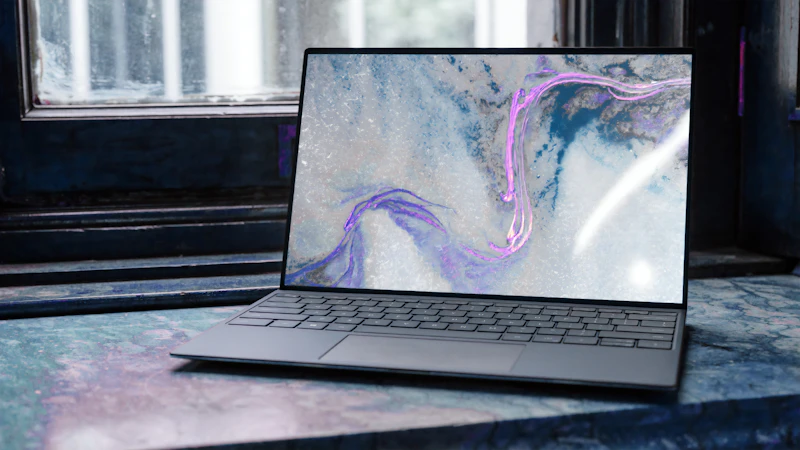
Display Real Estate: Aspect Ratios and Code Visibility
When reviewing code pull requests or debugging side-by-side split screens in your IDE, vertical screen real estate is vastly more important than horizontal movie-style width. Traditional 16:9 widescreen displays cut off critical code context, forcing constant vertical scrolling.
Modern developer machines have standardized on taller 16:10 or 3:2 aspect ratios. The 16:10 screen on the MacBook Pro 14 and ThinkPad X1 provides roughly 12% more vertical lines of visible code, allowing you to view a function, its unit tests, and terminal output simultaneously without collapsing panels.
Furthermore, screen finish matters. While glossy displays offer punchy contrast for media consumption, matte anti-glare coatings—standard on the ThinkPad and optional on the Framework—prevent fluorescent office glare and sunlight reflections from causing eye strain during marathon code reviews.
| Laptop Screen | Screen Size & Aspect | Resolution | Surface Coating | Lines of Code Visible (14pt) |
|---|---|---|---|---|
| MacBook Pro 14 | 14.2-inch 16:10 | 3024 x 1964 Liquid Retina XDR | Glossy (Nano-texture option) | 62 Lines |
| ThinkPad X1 Carbon Gen 12 | 14.0-inch 16:10 | 2880 x 1800 OLED / IPS | Matte Anti-Glare | 60 Lines |
| Framework Laptop 13 | 13.5-inch 3:2 (Extra tall) | 2880 x 1920 Matte Screen | Matte Anti-Reflective | 68 Lines |
| Dell XPS 14 | 14.5-inch 16:10 | 3200 x 2000 OLED Touch | Anti-Reflective Corning Glass | 64 Lines |

Real-World Unplugged Battery Longevity for Mobile Coders
Coding on the go—in coffee shops, airport waiting areas, or conference hallways—requires dependable battery endurance under real developer loads. Running local web servers and compiling code consumes significantly more power than passive YouTube streaming benchmarks.
Apple’s M4 Pro MacBook Pro leads the pack by an overwhelming margin. Because Apple Silicon maintains extreme instructions-per-clock efficiency at low wattages, developers can run Docker containers, VS Code, and browser testing for 14 to 17 real-world hours without ever searching for an electrical outlet.
Windows and Linux laptops running Intel Core Ultra or AMD Ryzen chips have closed the gap, delivering 8 to 11 hours of active development time. While sufficient for a standard workday, running continuous heavy compilers drains x86 batteries roughly 30% faster than Apple Silicon.
| Development Workflow | MacBook Pro 14 (M4 Pro) | ThinkPad X1 Carbon | Framework Laptop 13 (AMD) | Dell XPS 14 |
|---|---|---|---|---|
| Light Coding (VS Code + Terminal) | 17 hrs 30 mins | 11 hrs 15 mins | 10 hrs 45 mins | 10 hrs 20 mins |
| Heavy Docker / Microservices | 13 hrs 45 mins | 7 hrs 30 mins | 6 hrs 50 mins | 6 hrs 40 mins |
| Continuous Compilation Loop | 7 hrs 20 mins | 4 hrs 10 mins | 4 hrs 00 mins | 3 hrs 50 mins |
| Power Loss on Sleep (8 Hours) | 1% – 2% (Instant wake) | 4% – 6% | 5% – 8% | 5% – 7% |

Upgradability and Repairability: The Framework Alternative
For hardware tinkerers and sustainability-minded engineers, soldered components in modern ultra-thin laptops are a major point of contention. When RAM is soldered to the logic board (as on MacBooks and modern ThinkPads), you cannot upgrade memory as your container workloads expand over time.
The Framework Laptop 13 offers a revolutionary alternative. Designed from the ground up for 100% modular repairability, users can replace the motherboard, upgrade memory up to 96GB of DDR5 RAM, swap NVMe storage in under 5 minutes, and customize physical IO ports (USB-C, USB-A, HDMI, DisplayPort, MicroSD) via swappable expansion cards.
While it lacks the unibody luxury feel of Apple hardware, the ability to replace a broken keyboard or swap CPU generations without discarding the chassis represents immense long-term value, as highlighted in our PCIe 5.0 vs PCIe 4.0 NVMe SSDs: Does Extreme Read/Write Speed Actually Affect Gaming and Boot Times? overview.
| Repairability Metric | Framework Laptop 13 | Lenovo ThinkPad X1 | MacBook Pro 14 | Dell XPS 14 |
|---|---|---|---|---|
| iFixit Repairability Score | 10 / 10 (Fully modular) | 7 / 10 (Replaceable SSD) | 4 / 10 (All soldered) | 5 / 10 (Replaceable SSD) |
| User-Upgradeable RAM? | Yes (Dual SO-DIMM slots) | No (Soldered LPDDR5X) | No (Unified Memory on SoC) | No (Soldered LPDDR5X) |
| User-Upgradeable SSD? | Yes (Standard M.2 2280) | Yes (Standard M.2 2280) | No (Proprietary NAND chips) | Yes (Standard M.2 2280) |
| Swappable IO Ports? | Yes (Modular USB-C cards) | No (Fixed motherboard ports) | No (Fixed ports) | No (Fixed ports) |
✓ What We Love
- MacBook Pro 14: Unrivaled UNIX developer environment, whisper-quiet active cooling, and 16+ hour real-world coding battery
- ThinkPad X1 Carbon: Legendary 1.5mm tactile keyboard travel and certified out-of-the-box Linux kernel compatibility
- Framework 13: 100% modular user-repairable design supporting up to 96GB of swappable DDR5 memory
- Crisp 16:10 and 3:2 displays provide maximum vertical code visibility for multi-pane IDE setups
✗ Things to Consider
- MacBook Pro: Zero memory or storage upgradability post-purchase; high configuration prices
- x86 Windows/Linux laptops exhibit faster battery drain when running heavy Docker clusters unplugged
Price Comparison
Looking for the Best Deals on Developer & Software Engineering Laptops?
Don’t overpay. Compare real-time prices across major online retailers before buying.
In Conclusion
Selecting the ideal programming laptop comes down to where your development environment lives. If your daily workflow is built on UNIX tools, mobile app compilation (Xcode/Android Studio), web frameworks, and microservices, the MacBook Pro 14 with Apple Silicon (configured with at least 32GB of unified memory) is the most efficient, durable, and battery-independent developer machine on earth.
If you are a Linux purist who refuses commercial operating system telemetry, the Lenovo ThinkPad X1 Carbon and the Framework Laptop 13 are extraordinary machines that grant complete control over your operating system, kernel modules, and hardware repairability.