- Home
- Electronics
- Best Webcams for Streaming 202 ...


Your webcam is the first thing your audience judges on a stream — before your gameplay, before your commentary, before your overlays. A good streaming webcam gives you a sharp, well-exposed facecam that holds up when you crop in, move around or stream in a dim room. A bad one gives you a soft, noisy image that no amount of lighting can rescue.
In this guide we compare the best webcams for streaming in 2026 on published specs and current pricing from the manufacturers’ own pages and independent round-ups. We have not tested these webcams hands-on. Prices were last checked on 19 Nov 2026 and vary by retailer.
One thing to know before you shop: the Elgato Facecam Pro — the 4K60 flagship many older guides still recommend — was discontinued by Elgato in December 2025 and is no longer sold new by major retailers. Its replacement, the Elgato Facecam 4K, does the same true 4K60 for about $100 less. Do not buy a Facecam Pro new in 2026.
Contents
- Our Quick Picks
- Webcams for Streaming Compared
- Elgato Facecam 4K
- Logitech MX Brio
- Insta360 Link 2
- Razer Kiyo V2
- Logitech C922x Pro Stream
- Watch: Best Webcams 2026
- How to Choose a Streaming Webcam
- Final Verdict
- Frequently Asked Questions
Our Quick Picks
- Best 4K60 for streaming: Elgato Facecam 4K — true 4K at 60fps with a Sony sensor, $199.99.
- Best overall: Logitech MX Brio — 4K30 with the best mics and autofocus here, $199.99.
- Best for moving presenters: Insta360 Link 2 — AI gimbal tracking that follows you, about $199.99.
- Best low-light: Razer Kiyo V2 — big sensor and AI framing, about $150–$200.
- Best budget: Logitech C922x Pro Stream — proven 1080p for about $60–$80.
Webcams for Streaming Compared
| Feature | Elgato Facecam 4K | Logitech MX Brio | Insta360 Link 2 | Razer Kiyo V2 | Logitech C922x |
|---|---|---|---|---|---|
| Price | $199.99 | $199.99 | About $199.99 | About $150–$200 | About $60–$80 |
| Max resolution | 4K/60, HDR 4K/30 | 4K/30, 1080p/60 | 4K/30 | 4K/30, 1080p/60 | 1080p/30, 720p/60 |
| Sensor | Sony STARVIS | Large sensor, RightLight 4 | 1/2-inch CMOS | Large sensor, f/2.0 lens | HD glass lens |
| Focus | Fixed focus | Autofocus | Autofocus + tracking | Autofocus | Autofocus |
| Field of view | Up to 90° | 65° / 78° / 90° | 79.5° | Wide, AI framing | 78° |
| Microphone | None | Dual beamforming mics | Dual noise-cancelling mics | Built-in mic | Dual mics |
| Connection | USB-C | USB-C | USB-C | USB-C | USB-A |
Last checked: 19 Nov 2026. Prices are the manufacturers’ listed prices and change often.
Elgato Facecam 4K — Best 4K60 for Streaming
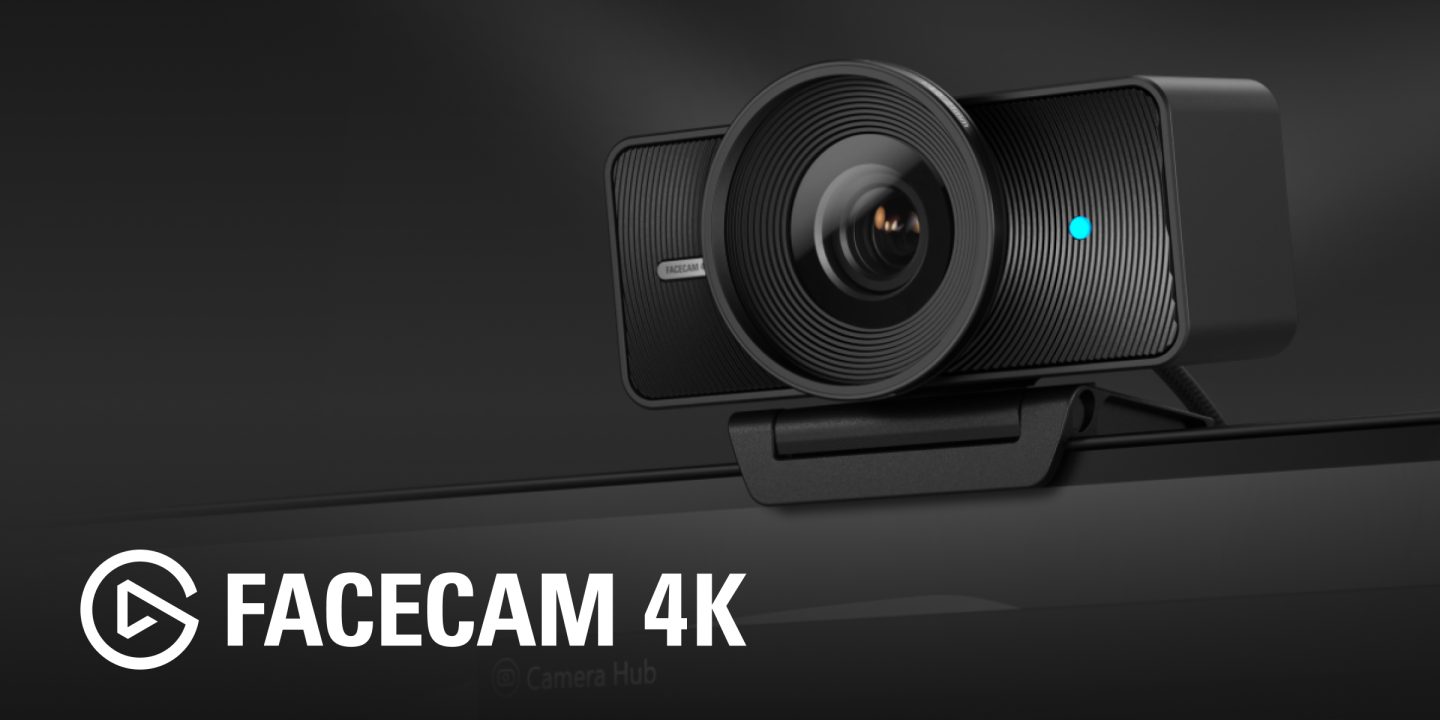
The Elgato Facecam 4K is the webcam to buy if your stream runs at 4K or you record in 4K and crop in editing. It is the only webcam here that shoots true 4K at 60 frames per second, using a Sony STARVIS sensor with manual controls through Elgato’s Camera Hub software. At $199.99 it costs about $100 less than the discontinued Facecam Pro it replaces, for the same headline spec.
The trade-offs are deliberate: the focus is fixed, so you need to sit at the right distance, and there is no microphone at all — Elgato assumes you already own a proper mic. If you stream with a USB or XLR microphone, that is no loss at all. The OBS integration is also the tightest here: the camera shows up in OBS as a fully controllable source, so you can adjust exposure and colour without leaving your streaming software.
Pros: True 4K60 — the only one here; Sony STARVIS sensor handles mixed lighting well; full manual controls; best OBS integration.
Cons: No built-in microphone; fixed focus means no autofocus; needs good lighting to look its best.
Logitech MX Brio — Best Overall

The Logitech MX Brio is Logitech’s current flagship webcam and the most versatile pick in this guide. It shoots 4K at 30fps or 1080p at 60fps, with autofocus, three field-of-view presets (65, 78 and 90 degrees), RightLight 4 auto light correction and dual beamforming microphones. It costs $199.99 and works with Windows Hello for face login.
For most streamers, the MX Brio is the safer buy than the Facecam 4K: the autofocus keeps you sharp if you lean in and out, the microphones are genuinely usable as a backup, and the image holds up well in the mixed lighting of a real room. You lose 4K60, but most streams go out at 1080p anyway — and the 4K sensor still gives you cropping room in your recordings.
Pros: Best all-round image and autofocus; usable built-in microphones; three FOV presets; Windows Hello support; plug-and-play.
Cons: 4K tops out at 30fps; costs the same as the 4K60 Facecam 4K; most meeting apps cap at 1080p anyway.
Insta360 Link 2 — Best for Moving Presenters
The Insta360 Link 2 is the webcam for streamers who do not sit still. Its gimbal-mounted camera pans and tilts to follow you around the room, with AI tracking, gesture control and a 1/2-inch sensor shooting 4K at 30fps. It costs about $199.99 and suits teaching, fitness, cooking and presentation streams where a fixed camera would lose you the moment you stand up.
The tracking is the headline, but the image quality is strong too: the larger sensor and AI framing keep you centred and well exposed. The trade-off is complexity — a gimbal camera has more to go wrong than a fixed one, and it needs a clear view of the room to track reliably.
Pros: AI gimbal tracking follows you; 4K30 on a 1/2-inch sensor; gesture controls; great for teaching and fitness streams.
Cons: Overkill if you sit at a desk; gimbal adds moving parts; tracking needs space and good light.
Razer Kiyo V2 — Best Low-Light
The Razer Kiyo V2 is built for the streamer whose room is never quite bright enough. Its large sensor and fast f/2.0 lens gather more light than the other webcams here, and it shoots 4K at 30fps or 1080p at 60fps with AI framing and head tracking. Prices run about $150 to $200 depending on the retailer.
One practical note: 4K operation requires the bundled USB-C cable, according to reports from reviewers — do not swap in a random cable and expect full resolution. The Kiyo V2 is the pick if you stream in a dim room and want the cleanest image without buying studio lights.
Pros: Best low-light image here; 4K30 and 1080p60; AI framing and head tracking; Razer Synapse software for tuning.
Cons: 4K needs the bundled USB-C cable; no 4K60; mic is a backup at best — use a dedicated microphone.
Logitech C922x Pro Stream — Best Budget
The Logitech C922x is the oldest webcam here and still the smartest first buy. It shoots 1080p at 30fps (or 720p at 60fps) with autofocus, a glass lens and dual microphones, and it costs about $60 to $80. It has been the default streaming webcam for a decade because it simply works: plug it in, add it to OBS, and go.
At 1080p30 it will not match the 4K cameras for sharpness, and fast motion shows some ghosting. But most streams are broadcast at 1080p anyway, and the money you save buys a light or a microphone — which will improve your stream far more than a 4K sensor will. Pair it with a proper mic from our guide to the best wireless microphones for creators and you have a complete starter setup.
Pros: Proven 1080p quality for about $60–$80; autofocus and glass lens; no drivers or software needed; includes a tripod.
Cons: Capped at 1080p30; older sensor struggles in dim rooms; built-in mic is basic.
Watch: Best Webcams 2026
This video compares five webcams for calls, work and streaming — including the streamer pick and the budget pick — with the key specs for each.
How to Choose a Streaming Webcam
Frame rate matters more than resolution. A 1080p60 image looks smoother and more professional on a live stream than a 4K30 image, because motion is what your audience actually sees. Only pay for 4K60 if you record locally and crop in editing, or you stream to a platform that accepts 4K.
Lighting beats the camera. A $70 webcam with a $30 key light looks better than a $200 webcam in a dark room. If your budget is tight, buy the C922x and a light before you buy a 4K camera.
Autofocus or fixed focus? Autofocus suits streamers who move; fixed focus suits streamers who sit at a fixed distance and want a consistent look. The Facecam 4K’s fixed focus is a feature, not a flaw — as long as you sit where it expects you to.
Do not forget audio and capture. Every webcam here sounds better with a dedicated microphone, and if you also want to show console or camera footage, our guide to the best capture cards for streaming covers the Elgato HD60 X and 4K X.
Final Verdict
For serious streamers, the Elgato Facecam 4K is the best webcam for streaming in 2026: true 4K60, a Sony sensor and the best OBS integration, for $199.99. For most people, the Logitech MX Brio is the better all-rounder at the same price, with autofocus and usable microphones. If you move around on stream, the Insta360 Link 2 is the only one that follows you. And if you are just starting out, the Logitech C922x at about $60 to $80 plus a light and a microphone will get you streaming tonight.
Frequently Asked Questions
Do I need a 4K webcam for streaming? Usually not. Twitch and YouTube Live typically receive your stream at 1080p, so a 4K sensor mainly helps with recording and cropping. A good 1080p60 webcam with proper lighting looks better on a live stream than a 4K30 webcam in a dark room.
What happened to the Elgato Facecam Pro? Elgato discontinued the Facecam Pro in December 2025 and lists it as a legacy, end-of-life product. Its replacement is the Elgato Facecam 4K, which offers the same true 4K60 for about $100 less. Do not buy a Facecam Pro new.
Do I need a separate microphone with a webcam? For serious streaming, yes. Webcam microphones are fine for calls, but they pick up keyboard noise and room echo. A dedicated USB microphone is the single biggest audio upgrade you can make.
What is the best webcam for OBS? The Elgato Facecam 4K, because it appears in OBS as a fully controllable source with manual exposure, colour and lens settings. The Logitech MX Brio is a close second for its autofocus and ease of use.
Can I use a webcam for YouTube recording as well as streaming? Yes — all five webcams here work for recording talking-head videos. The 4K models (Facecam 4K, MX Brio, Link 2, Kiyo V2) give you cropping flexibility in editing, which is the main reason to pay for 4K.