- Home
- Electronics
- Computer Components
- Best Portable SSDs 2026: Samsu ...


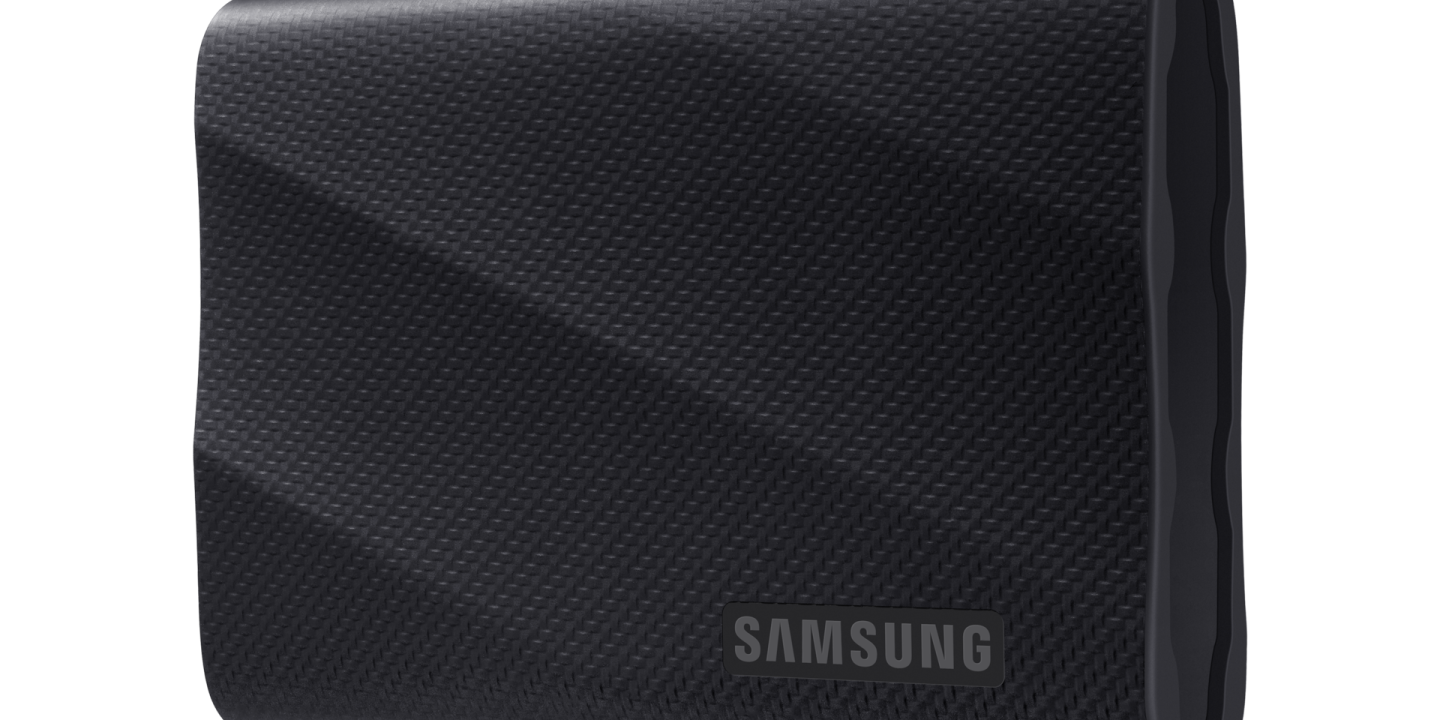
A portable SSD is the single most useful upgrade for anyone who moves big files around: photographers offloading cards, video editors cutting 4K footage, students backing up a laptop, or console owners short on space. The best drives now move data at up to 2,000 MB/s — roughly four times faster than the portable hard drives they replaced — and they fit in a pocket. The catch is that the headline speed only arrives if your computer has the right USB port. This guide compares the best portable SSDs of 2026 on published manufacturer specs and current retailer prices, so you can buy the right drive.
Prices below are typical US retailer or manufacturer list prices — last checked: 19 Nov 2026 — and they move often, so check the current listing before you buy. Storage prices rose sharply in early 2026, so a drive that was a bargain six months ago may not be one today.
Contents
- Best portable SSDs at a glance
- Samsung T9 — best portable SSD overall
- SanDisk Extreme Pro V2 — best rugged drive for creators
- Crucial X10 Pro — best value for speed
- WD My Passport SSD — best for encrypted backups
- Kingston XS2000 — best pocketable drive
- A note for Mac owners: the USB port matters more than the drive
- What to check before you buy
- Watch: which external SSD should you actually buy?
- Final verdict
- Frequently asked questions
Best portable SSDs at a glance
| Drive | Max speed | Capacity | Best for | Price* |
|---|---|---|---|---|
| Samsung T9 | Up to 2,000 MB/s | 1TB – 4TB | Best overall | About $260 (1TB) |
| SanDisk Extreme Pro V2 | Up to 2,000 MB/s | 1TB – 4TB | Rugged outdoor and creator work | About $210 (1TB) |
| Crucial X10 Pro | Up to 2,100 MB/s | 1TB – 4TB | Best value for speed | From $179.99 (1TB) |
| WD My Passport SSD | Up to 1,050 MB/s | 500GB – 2TB | Encrypted backups | About $248 (1TB) |
| Kingston XS2000 | Up to 2,000 MB/s | 500GB – 2TB | Smallest pocket drive | About $230–$263 (1TB) |
*Prices are typical US retailer prices, last checked: 19 Nov 2026. Verify the current price before buying.
Samsung T9 — best portable SSD overall
The Samsung T9 is the default recommendation for most people, and it earns that spot on balance rather than on any single number. It reads and writes at up to 2,000 MB/s over USB 3.2 Gen 2×2, comes in 1TB, 2TB and 4TB capacities, with Dynamic Thermal Guard to keep speeds steady on long copies. It is rated drop resistant up to 3 metres, includes AES 256-bit hardware encryption, and carries a 5-year warranty. The 1TB model lists at about $260 at Best Buy, with Samsung’s own US store listing it at $287.99.

It is fast enough to edit video directly from the drive and tough enough to live in a camera bag. The main caveat is the same one that applies to every 2,000 MB/s drive here: you only get the full speed from a USB 3.2 Gen 2×2 port, which is still uncommon on laptops. On a standard 10 Gbps USB-C port it runs at around 1,000 MB/s — still fast, but no faster than a cheaper drive.
What we love: 2,000 MB/s read and write, steady speeds on long transfers, 3-metre drop resistance, hardware encryption, 5-year warranty. Considerations: needs a Gen 2×2 port for full speed, no water-resistance rating, pricier than the Crucial at the same capacity.
SanDisk Extreme Pro V2 — best rugged drive for creators
The SanDisk Extreme Pro V2 is the drive to buy if your SSD is going to get wet, dusty or dropped. It matches the T9 at up to 2,000 MB/s read and write over USB 3.2 Gen 2×2, and adds IP55 dust and water resistance, drop protection up to 3 metres, a forged aluminium chassis with a silicone shell, and a carabiner loop so it clips to a bag. It comes in 1TB to 4TB capacities with a 5-year warranty, and the 1TB model was about $210 on Amazon when checked. SanDisk also sells a newer USB4 version, the Extreme Pro V3, rated up to 4,000 MB/s.
For photographers and videographers working on location, the Extreme Pro’s combination of speed and toughness is hard to beat: it is the drive most likely to survive a shoot. Downsides are modest: it is a little bulkier than the T9, and like every drive here it needs a Gen 2×2 port to hit its rated speed.
What we love: 2,000 MB/s, IP55 water and dust resistance, 3-metre drop protection, carabiner loop, 5-year warranty. Considerations: bulkier than the T9, full speed needs a Gen 2×2 port, the newer USB4 V3 costs more.
Crucial X10 Pro — best value for speed
The Crucial X10 Pro is the fastest drive in this guide on paper and the cheapest way to get there. It reads at up to 2,100 MB/s and writes at up to 2,000 MB/s, comes in 1TB to 4TB capacities, and is rated IP55 for dust and water resistance with 2.2-metre drop protection. It is roughly the size of a credit card, and starts at $179.99 for 1TB at Adorama — comfortably less than the Samsung or SanDisk.
That combination makes it the best value pick for video editors and anyone moving very large files regularly. The trade-offs are small: no hardware encryption, and sustained-write performance on very long transfers is a step behind the T9. For most buyers, neither matters much.
What we love: fastest rated read speed here at 2,100 MB/s, IP55 protection, very compact, lowest price of the 2,000 MB/s drives. Considerations: no hardware encryption, sustained writes can dip on very long transfers, Gen 2×2 port needed for full speed.
WD My Passport SSD — best for encrypted backups
The WD My Passport SSD takes a different approach: it trades top speed for security and simplicity. It reads at up to 1,050 MB/s and writes at up to 1,000 MB/s over USB 3.2 Gen 2 — half the headline speed of the drives above, but fast enough for backups, photo libraries and everyday file moves, and it hits that speed on almost any modern USB-C port without needing a rare Gen 2×2 connection. Its standout feature is built-in 256-bit AES hardware encryption with password protection, plus a 5-year warranty. The 1TB model was listed around $248 on Amazon in mid-November 2026, though prices for this drive have swung widely this year.
This is the right drive if your priority is a safe, set-and-forget backup rather than editing video off the drive. The 1,050 MB/s ceiling is no handicap for Time Machine or File History backups. Just do not buy it expecting 2,000 MB/s performance — that is not what it is for.
What we love: hardware encryption with password protection, full speed on any 10 Gbps USB-C port, slim and light, 5-year warranty. Considerations: 1,050 MB/s is half the speed of the fastest drives here, price has been volatile in 2026, no IP water-resistance rating.
Kingston XS2000 — best pocketable drive
The Kingston XS2000 is the smallest drive in this guide — genuinely pocket-sized, about the size of a matchbox — yet it still delivers up to 2,000 MB/s read and write over USB 3.2 Gen 2×2. It comes in 500GB, 1TB and 2TB capacities, is rated IP55, and includes a rubber sleeve and a USB-C to USB-A adapter for older laptops. The 1TB model was listed at $230 to $263 on Amazon in mid-November 2026, which makes it the priciest per terabyte here, but you are paying for the size.
Buy the XS2000 if the drive lives in a pocket or a tiny camera bag and every gram counts. The compromises are the price and the lack of hardware encryption, and — like the others — it needs a Gen 2×2 port for its headline speed.
What we love: tiny pocket-sized design, 2,000 MB/s, IP55 protection, USB-A adapter included. Considerations: expensive per terabyte, no hardware encryption, full speed needs a Gen 2×2 port.
A note for Mac owners: the USB port matters more than the drive
If you use a Mac, read this before spending extra on a 2,000 MB/s drive. Apple silicon Macs up to the M4 generation do not support USB 3.2 Gen 2×2, so any Gen 2×2 drive — the T9, Extreme Pro, X10 Pro and XS2000 included — tops out at around 1,000 to 1,050 MB/s on a Mac. On a Mac, the cheaper Samsung T7 Shield, rated at 1,050 MB/s with IP65 dust and water resistance, gives you the same real-world speed for less money. Check your computer’s USB specification before you buy: the port decides the speed, not the box.
What to check before you buy
First, pick a capacity with headroom: 1TB is the sweet spot for most people, but video work fills drives fast, and 2TB is often better value per terabyte. Second, match the interface to your computer — Gen 2×2 for 2,000 MB/s, otherwise a 1,050 MB/s drive is just as fast in practice. Third, think about where the drive will live: if it goes outdoors, IP55 or better and drop protection are worth paying for. Fourth, decide whether you need hardware encryption for sensitive files. Finally, buy from a reputable retailer, since counterfeit drives are a real problem, and remember quoted speeds are maximums: real transfers of many small files are always slower than one big file.
See also our guide to the best SSDs for PS5 in 2026, our explainer on PCIe 5.0 vs PCIe 4.0 NVMe SSDs, and our best home NAS for beginners guide if you want storage that stays at home. Manufacturer pages: Samsung on the Portable SSD T9 and SanDisk on the Extreme Pro Portable SSD.
Watch: which external SSD should you actually buy?
This video walks through three portable SSDs worth buying in 2026, including the Samsung T9, and explains the port problem that catches most buyers out:
Final verdict
For most people, the Samsung T9 is the best portable SSD of 2026: fast, tough, well supported and sensibly priced. If you work outdoors, the SanDisk Extreme Pro V2 adds water resistance and a carabiner loop. If you want the most speed per dollar, the Crucial X10 Pro is the fastest drive here and the cheapest of the 2,000 MB/s group. If your priority is a secure backup, the WD My Passport SSD’s hardware encryption is the best in this guide. And if size matters most, nothing beats the Kingston XS2000 for slipping into a pocket. Whichever you choose, check your computer’s USB port first — that one detail decides whether you actually get the speed on the box.
Frequently asked questions
What is the fastest portable SSD in 2026?
The Crucial X10 Pro has the fastest rated read speed in this guide at up to 2,100 MB/s, just ahead of the Samsung T9, SanDisk Extreme Pro V2 and Kingston XS2000 at up to 2,000 MB/s. SanDisk’s newer USB4 Extreme Pro V3 is rated up to 4,000 MB/s, but needs a USB4 port and costs more.
Do I need USB 3.2 Gen 2×2 to get 2,000 MB/s?
Yes. A Gen 2×2 port provides 20 Gbps; a standard 10 Gbps USB-C port caps any drive at around 1,000 to 1,050 MB/s. Check your laptop or desktop specifications before paying extra for a 2,000 MB/s drive.
Why is my Samsung T9 slow on a Mac?
Apple silicon Macs up to the M4 generation do not support USB 3.2 Gen 2×2, so the T9 runs at about 1,050 MB/s on a Mac. That is a limitation of the Mac’s USB ports, not the drive — a cheaper 1,050 MB/s drive performs the same on a Mac.
How much storage do I need in a portable SSD?
1TB suits most people for backups, photos and documents. Choose 2TB if you edit video or carry a large photo library. 4TB models exist for professional video work but cost much more per terabyte.
Are portable SSDs good for PS5 storage?
A portable SSD stores PS5 games and plays PS4 games, but PS5 games must be moved back to the internal drive or an M.2 SSD to play.