- Home
- Electronics
- Audio & Headphones
- Best Wireless Earbuds for Call ...


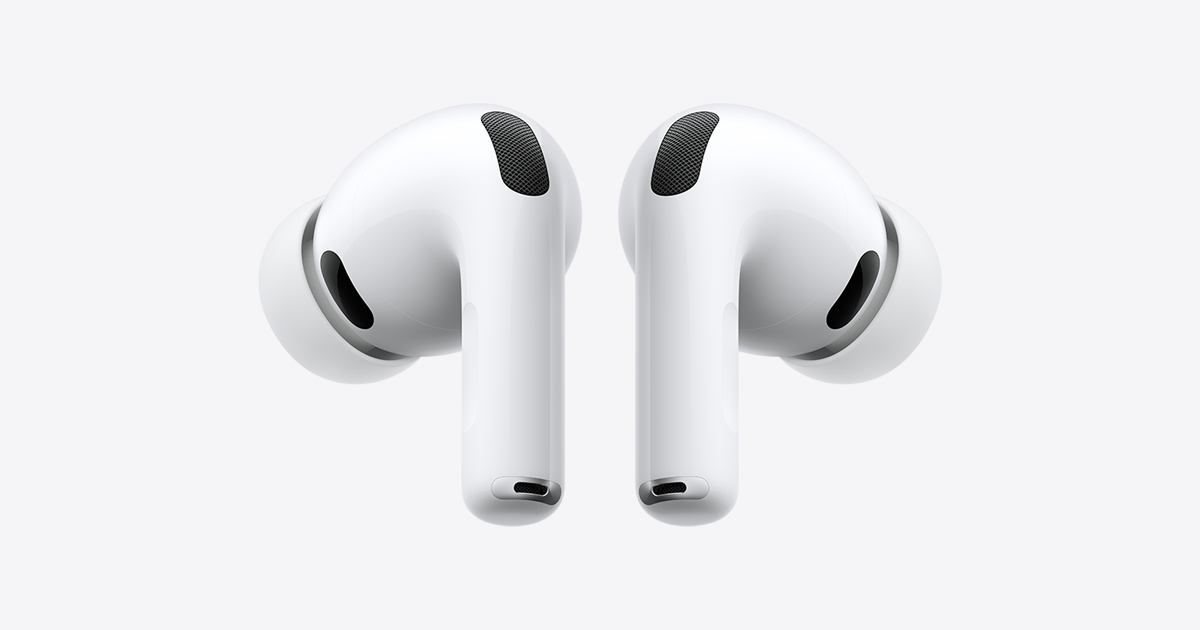
Most wireless earbuds sound fine for music. Far fewer sound good on a call — and the difference is what your colleagues actually hear. A great pair of earbuds for calls needs microphones that pick up your voice and ignore the rest: the coffee machine, the traffic, the keyboard clatter. This guide compares the best wireless earbuds for calls in 2026, based on published specs from the manufacturers and independent microphone testing, so you can choose the pair that makes you sound clear, not just the pair that sounds good to you.
Prices below are typical US list prices. Prices move constantly, so treat the figures as a snapshot — last checked: 19 Nov 2026.
Contents
- Best wireless earbuds for calls at a glance
- Apple AirPods Pro 3 — best for iPhone and Mac
- Sony WF-1000XM6 — best microphone overall
- Bose QuietComfort Ultra Earbuds (2nd Gen) — best for noisy places
- Jabra Elite 10 Gen 2 — best for mixed devices
- Soundcore Liberty 5 Pro — best value for calls
- What to check before you buy
- Watch: AirPods Pro 3 reviewed
- Final verdict
- Frequently asked questions
Best wireless earbuds for calls at a glance
| Earbuds | Microphones | Battery (buds / total) | Price* |
|---|---|---|---|
| Apple AirPods Pro 3 | Dual beamforming + inward mic | 8h / 30h | $249 |
| Sony WF-1000XM6 | 8 mics + bone-conduction sensor | 8h / 32h | $329.99 |
| Bose QuietComfort Ultra (2nd Gen) | Multiple mics, CustomTune | 6h / 24h | $299 |
| Jabra Elite 10 Gen 2 | 6 mics, multipoint | 8h / 36h | Around $280 |
| Soundcore Liberty 5 Pro | 4 mics + bone-conduction sensor per bud | 8h / 32h | $169.99 |
*Prices are typical US list prices, last checked: 19 Nov 2026. Battery figures are with noise cancellation on, per the manufacturers. Sale prices are often lower.
Apple AirPods Pro 3 — best wireless earbuds for calls on iPhone and Mac

The AirPods Pro 3 cost $249, and for iPhone and Mac users they are the easiest call earbuds to live with. The H2 chip drives dual beamforming microphones and an inward-facing microphone in each bud, plus a speech-detecting accelerometer, and Apple’s Voice Isolation processing separates your words from the room around you. Call quality is vastly improved over the AirPods Pro 2, and independent testing puts it near best-in-class — a big step up from the mediocre call quality of the previous generation.
What really changes the workday is the ecosystem: automatic switching follows your calls between iPhone, Mac and iPad without a settings menu, and the buds last up to 8 hours per charge with noise cancellation on, 30 hours with the case. The IP57 rating handles sweat and rain. The honest caveat is that they are at their best on Apple devices — independent testing found microphone performance improves noticeably when paired with an iPhone rather than a PC, and there is no true multipoint for non-Apple devices. If your workday runs on Apple, these are the default choice.
What we love: $249, Voice Isolation, automatic switching across Apple devices, 8-hour battery, IP57. Considerations: best on iPhone and Mac, weaker on Windows, no true multipoint outside Apple.
Sony WF-1000XM6 — best wireless earbuds for calls overall
The Sony WF-1000XM6 is the strongest call microphone in any true wireless earbuds, according to independent microphone testing. Launched in February 2026 at $329.99, it packs eight microphones — four per bud — with AI beamforming that steers pickup toward your mouth, plus a bone-conduction sensor that reads your jaw’s vibrations when wind scrambles the air microphones. Sony says the AI noise rejection was trained on 500 million voice samples. Independent lab testing with a standardised artificial-mouth rig put the XM6’s microphone at the top of its 2026 call rankings, in quiet, office, street and wind conditions.
It is also the most complete flagship here: the new QN3e processor, a body about 11 percent slimmer than the XM5, LDAC hi-res audio, and up to 8 hours per charge, 32 hours with the case. The price is the catch — $329.99 is $80 more than the AirPods Pro 3 — and the previous XM5 now sells for $249.99, which is worth knowing if your budget is tighter. But if call quality is the deciding factor and you use Android or Windows, the XM6 is the pick.
What we love: best independent microphone test results, 8 mics plus bone conduction, LDAC audio, slimmer than the XM5. Considerations: $329.99 is the priciest here, XM5 now sells for $249.99, some features are Android-only.
Bose QuietComfort Ultra Earbuds (2nd Gen) — best for noisy places
The Bose QuietComfort Ultra Earbuds (2nd Gen) cost $299, and they are the pair to buy if you take calls from hotels, airports and shared offices. Bose’s noise cancellation is the best in this guide at keeping the world out of your ears, and the call microphones are clear in noisy environments — independent testing rates the call quality among the best for voice in noisy places. CustomTune calibrates the sound to your ears, and the fit is the most comfortable here for long meeting days.
Battery life is the weak spot: 6 hours per charge with noise cancellation on, 24 hours with the case, which is the shortest in this guide. The buds are also bulkier than the AirPods Pro 3. But if hearing the meeting clearly matters as much as being heard — and in a noisy hotel lobby it does — the Bose are the most relaxing pair to wear through a day of back-to-back calls.
What we love: $299, best noise cancellation for the listener, clear calls in noisy places, very comfortable. Considerations: 6-hour battery is the shortest here, bulkier than AirPods Pro 3, no bone-conduction sensor.
Jabra Elite 10 Gen 2 — best wireless earbuds for mixed-device calls
The Jabra Elite 10 Gen 2 is the call-aware alternative for people who do not live in one ecosystem: around $280, with six microphones, multipoint pairing across two devices at once, and a Windows-friendly approach that Apple and Sony do not match. It connects to a laptop and a phone simultaneously, so a call on one device never means missing a call on the other, and the microphone quality is strong for work calls in a quiet or moderately noisy room.
Battery life is up to 8 hours per charge, 36 hours with the case. The trade-off is that Jabra is no longer the call-headset specialist it once was, and the Elite 10 Gen 2 is not a headset: it cannot match a boom microphone for the noisiest environments. But for a mixed Windows, Android and iPhone workday, it is the most flexible pair here.
What we love: around $280, true multipoint, 6 microphones, 8h / 36h battery, Windows-friendly. Considerations: not a boom-mic headset, weaker in very noisy rooms than the Sony, Jabra’s consumer range is winding down.
Soundcore Liberty 5 Pro — best value wireless earbuds for calls
The Soundcore Liberty 5 Pro is the value pick of this guide: $169.99 for call quality that competes with earbuds costing $100 more. Soundcore’s hardware is serious — four microphones and one bone-conduction sensor per bud, driven by Anker’s AI chip — and the company claims Guinness World Record certified call quality for the design. Independent testing backs up the claim in substance: the Liberty 5 Pro separates speech from surrounding noise well in third-party tests, and it is the strongest fit in this guide for noisy offices on a budget.
Battery life is up to 8 hours per charge, 32 hours with the case, and the buds support multipoint. The catch is the brand: Soundcore does not carry the ecosystem polish of Apple or the service network of Bose, and the companion app is busier than it needs to be. But if you want the best call quality per dollar in 2026, this is the pair to buy.
What we love: $169.99, 4 mics plus bone conduction per bud, strong independent call test results, multipoint. Considerations: less ecosystem polish than Apple or Bose, busy companion app, no Apple-style automatic switching.
What to check before you buy
First, remember that noise cancellation and microphone quality are different things: ANC changes what you hear, while microphone noise reduction changes what the other person hears. A pair can be silent to you and still send traffic noise to your colleagues. Second, count the microphones and check for a bone-conduction sensor — both help in wind and noise. Third, check multipoint if you take calls on two devices: true multipoint is standard on Jabra, Sony and Soundcore, but AirPods rely on Apple-only automatic switching. Fourth, check the battery per charge, not just the case total — 8 hours covers a full day of meetings. Finally, test the fit: a poor seal ruins both the sound you hear and the voice the microphones pick up, so use the fit test in the companion app and try all the tip sizes.
If you are building a work-from-home setup, our best headphones for working from home guide covers over-ear options, our best noise-cancelling earbuds under $150 guide covers cheaper picks, and our best true wireless earbuds guide covers sound quality and ANC in depth. Manufacturer pages: Apple AirPods Pro 3 and Bose QuietComfort Ultra Earbuds.
Watch: AirPods Pro 3 reviewed
For a full review of the AirPods Pro 3, including microphone tests and how the call quality compares with the previous generation, watch this video from RecordingNow:
Final verdict
For iPhone and Mac users, the AirPods Pro 3 at $249 are the best wireless earbuds for calls: Voice Isolation, automatic switching and an 8-hour battery make back-to-back meetings effortless. If you use Android or Windows, the Sony WF-1000XM6 at $329.99 has the strongest independent call-test results of any earbuds. Noisy-place workers should buy the Bose QuietComfort Ultra Earbuds, mixed-device workers should buy the Jabra Elite 10 Gen 2, and anyone on a budget should buy the Soundcore Liberty 5 Pro at $169.99 — the best call quality per dollar in this guide.
Frequently asked questions
Do wireless earbuds work well for Zoom and Teams calls?
Yes, the earbuds in this guide all work well for Zoom, Teams and Google Meet. The main thing to check is microphone quality and multipoint: if you take calls on a laptop and a phone, true multipoint (Jabra, Sony, Soundcore) or Apple automatic switching (AirPods) stops you missing calls when you switch devices.
What is the difference between ANC and microphone noise reduction?
Active noise cancellation changes what you hear — it removes background noise from your ears. Microphone noise reduction changes what the other person hears — it removes background noise from your voice before it is sent. For calls, microphone noise reduction matters more, and it is a separate feature from ANC.
How many microphones do good call earbuds need?
Three or more microphones per bud is a good sign, and a bone-conduction sensor helps in wind. The Sony WF-1000XM6 has four microphones per bud plus a bone-conduction sensor, and the Soundcore Liberty 5 Pro has four microphones plus a bone-conduction sensor per bud. More microphones let the earbuds beamform toward your mouth and ignore the rest of the room.
Why do AirPods Pro sound better on iPhone than on Windows?
Apple tunes the AirPods Pro 3 for its own devices: Voice Isolation and some microphone processing run on the H2 chip and work best with an iPhone or Mac. Independent testing found microphone performance improves noticeably when paired with an iPhone rather than a PC, so Windows-heavy call days blunt some of the advantage.
Should I buy a headset instead of earbuds for calls?
If you spend most of the day on calls in a noisy office, a headset with a boom microphone will always beat earbuds — the microphone sits closer to your mouth. Earbuds win for portability, comfort and all-day wear. If calls are more than half your day, consider a headset; if they are a third or less, the earbuds in this guide are the better compromise.