- Home
- Electronics
- Laptops and Tablets
- M4 MacBook Air vs MacBook Pro: ...


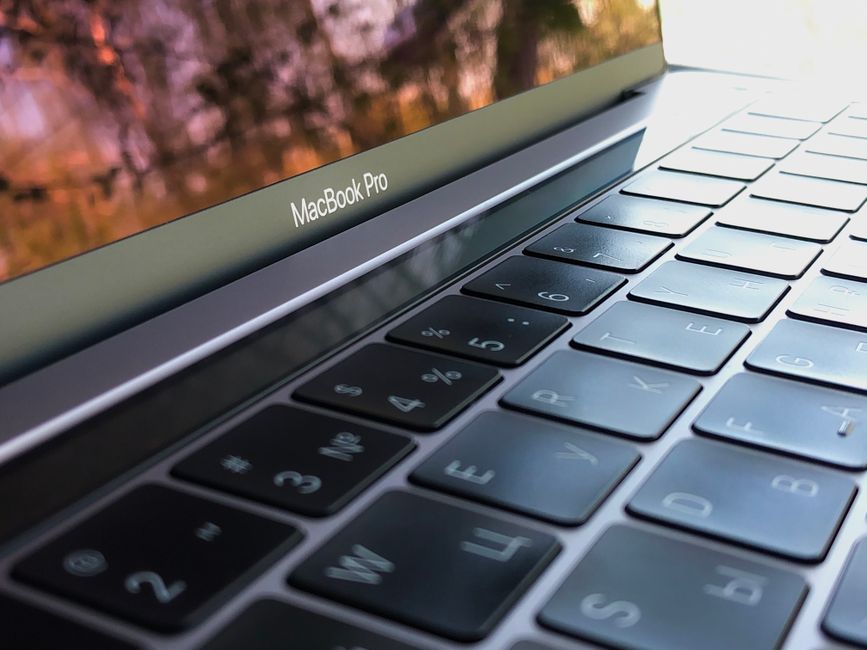
In the ever-evolving universe of Apple Silicon, choosing the right portable workstation has never been both more exciting and more complex. With the introduction of the M4 family of processors, Apple has refined its 3-nanometer architecture to deliver unprecedented instructions-per-clock (IPC) efficiency, blazing single-core speed, and hardware-accelerated ray tracing. Yet for millions of prospective buyers, the ultimate dilemma remains unchanged: should you purchase the ultra-svelte, fanless M4 MacBook Air, or step up to the robust, actively-cooled M4 MacBook Pro?
This in-depth comparison tears down every engineering distinction between the two machines. We examine sustained thermal behavior, real-world battery endurance during continuous compiling, display luminance across harsh outdoor lighting, external display topologies, and overall cost-to-performance value so you can make an enlightened investment tailored to your specific workflow.
Table of Contents
- Architectural Overview and the M4 Silicon Evolution
- Thermal Dissipation: Passive Silence vs Active High-Flow Fans
- Display Quality: Liquid Retina vs Liquid Retina XDR with ProMotion
- Port Selection and Multi-Monitor Connectivity
- Battery Life and Real-World Endurance Testing
- Portability, Ergonomics, and Daily Carry Comfort
- In Conclusion

Architectural Overview and the M4 Silicon Evolution
Apple’s transition to the M4 chip represents a major architectural milestone. Fabricated using TSMC’s second-generation 3-nanometer (N3E) process, the base M4 chip packs 28 billion transistors, an enhanced 10-core CPU comprising 4 high-performance cores and 6 efficiency cores, and a 10-core GPU with dynamic caching. Compared to earlier Apple Silicon generations discussed in our M4 MacBook Air vs MacBook Pro: Which Apple Silicon Laptop Should You Buy in 2026? analysis, the M4 delivers up to a 25% leap in CPU multi-threading and nearly double the graphics processing speed.
Crucially, the unified memory bandwidth has been elevated to 120 GB/s on the base M4, scaling up to a staggering 273 GB/s on the M4 Pro and 546 GB/s on the M4 Max. This vast unified memory bus ensures that large language models (LLMs), 4K ProRes video timelines, and multi-track audio compositions load instantly into GPU memory without the latency bottlenecks typical of discrete PCIe busses.
However, while both the MacBook Air and the entry-level 14-inch MacBook Pro share the exact same base M4 silicon, how that silicon is deployed in everyday workloads differs profoundly due to internal casing volume and thermal constraints.
| Silicon Specification | Apple M4 (Air / Pro Base) | Apple M4 Pro | Apple M4 Max |
|---|---|---|---|
| CPU Core Count | 10 Cores (4 Perf / 6 Eff) | Up to 14 Cores (10 Perf / 4 Eff) | Up to 16 Cores (12 Perf / 4 Eff) |
| GPU Core Count | 10 Cores with Ray Tracing | Up to 20 Cores | Up to 40 Cores |
| Memory Bandwidth | 120 GB/s | 273 GB/s | 546 GB/s |
| Max Unified Memory | 32 GB | 64 GB | 128 GB |
| Neural Engine | 16 Cores (38 TOPS) | 16 Cores (38 TOPS) | 16 Cores (38 TOPS) |
Thermal Dissipation: Passive Silence vs Active High-Flow Fans
The defining mechanical divide between the MacBook Air and MacBook Pro is the cooling infrastructure. The MacBook Air operates without a single moving part. Heat generated by the M4 System on Chip is drawn away through a graphite thermal spreader and dissipated directly through the aluminum bottom plate. In normal day-to-day office tasks, browser research, document writing, and media playback, the Air remains completely silent and cool to the touch.
The limitation of passive cooling emerges during sustained heavy compute loads. When rendering a 30-minute 4K H.265 timeline or running a heavy local Python training script, the M4 processor in the Air rapidly reaches its 100°C target ceiling. To protect internal silicon health, the kernel initiates thermal throttling, gradually dropping clock speeds from 4.4 GHz down to roughly 3.1 GHz after approximately 12 minutes of continuous load.
Conversely, the 14-inch and 16-inch MacBook Pro feature active dual-impeller fans coupled with copper heat pipes. Under heavy loads, these fans spin up smoothly and quietly. By exhausting hot air through side vents and rear hinge exhausts, the M4 Pro and Max chips maintain peak turbo clocks indefinitely, making the machine superior for M4 MacBook Air vs MacBook Pro: Which Apple Silicon Laptop Should You Buy in 2026? power users.
| Workload Metric | M4 MacBook Air (15-inch) | M4 MacBook Pro (14-inch) | M4 Pro MacBook Pro (16-inch) |
|---|---|---|---|
| Cinebench 2024 (Single-Core) | 174 pts | 175 pts | 176 pts |
| Cinebench 2024 (Multi-Core 1st Run) | 980 pts | 985 pts | 1,680 pts |
| Cinebench 2024 (10-Minute Loop) | 785 pts (-20% throttle) | 980 pts (Sustained 100%) | 1,675 pts (Zero throttle) |
| Acoustic Noise (Peak Load) | 0 dB (Dead Silent) | 34 dB (Gentle hum) | 38 dB (Smooth whoosh) |
| Chassis Surface Temp | 44°C (Warm bottom plate) | 36°C (Cooled chassis) | 35°C (Cool chassis) |
Display Quality: Liquid Retina vs Liquid Retina XDR with ProMotion
The visual experience is another area where the Pro commands its price premium. The MacBook Air utilizes an excellent Liquid Retina IPS panel delivering 500 nits of peak SDR brightness and full P3 wide color gamut coverage. For students, office professionals, and casual photo editors, it is sharp, vivid, and enjoyable to look at for eight hours a day.
However, the MacBook Pro’s Liquid Retina XDR screen is in a completely different optical league. Powered by a mini-LED backlight array containing over 10,000 individually controlled local dimming zones, it achieves an astounding 1,000,000:1 contrast ratio. True HDR content produces deep inky blacks with zero backlight bleed, accompanied by 1,000 nits of sustained full-screen brightness and 1,600 nits of peak highlight luminance.
Furthermore, the Pro features Apple’s 120Hz ProMotion variable refresh technology. By dynamically modulating between 24Hz and 120Hz based on screen motion, scrolling through long code repositories or web articles feels exceptionally fluid, while saving battery during static reading.
| Screen Property | MacBook Air 13 / 15 | MacBook Pro 14 / 16 |
|---|---|---|
| Backlight Technology | Edge-lit LED IPS | Mini-LED with 10,000+ Local Dimming Zones |
| Refresh Rate | Fixed 60Hz | 120Hz ProMotion Variable (24Hz – 120Hz) |
| SDR Peak Brightness | 500 nits | 1,000 nits (Outdoor boosted) |
| HDR Peak Brightness | 500 nits (Simulated SDR) | 1,600 nits (True XDR mastering) |
| Contrast Ratio | 1,200 : 1 | 1,000,000 : 1 (Infinite Black Levels) |
Port Selection and Multi-Monitor Connectivity
Connectivity is a decisive factor for professionals operating at a dedicated desk setup. The MacBook Air keeps things minimalist with two Thunderbolt / USB4 ports on the left flank, a MagSafe 3 charging port, and a 3.5mm high-impedance headphone jack on the right. While modern USB-C hubs can expand connectivity, carrying dongles remains an ongoing reality for SD cards and HDMI projectors.
In contrast, the MacBook Pro is an all-in-one studio hub. It features three high-speed Thunderbolt 5 ports (on M4 Pro/Max models) delivering 120 Gbps bandwidth, a dedicated full-size HDMI 2.1 port capable of driving 8K 60Hz or 4K 240Hz displays, a full-speed UHS-II SDXC card slot for immediate camera imports, and MagSafe 3.
Multi-monitor support has historically been a sore point for Air owners. With the M4 Air, Apple allows driving two external displays, but only when the laptop lid is closed (clamshell mode). The MacBook Pro effortlessly powers two to four external high-resolution Pro displays simultaneously while keeping its built-in Liquid Retina XDR screen active.
| IO Feature | M4 MacBook Air | M4 MacBook Pro |
|---|---|---|
| Thunderbolt Version | Thunderbolt 4 / USB4 (40 Gbps) | Thunderbolt 5 (up to 120 Gbps on Pro/Max) |
| HDMI Port | None (Requires USB-C dongle) | Native Full-Size HDMI 2.1 |
| SD Card Reader | None | Full-Size UHS-II SDXC Slot |
| Max External Displays | 2 Displays (Lid closed clamshell only) | 2 to 4 Displays (Lid open simultaneously) |
Battery Life and Real-World Endurance Testing
Both machines boast extraordinary battery endurance that leaves x86 Windows laptops in the dust, but their consumption curves diverge depending on workload intensity. The 13-inch and 15-inch MacBook Air pack 52.6 Wh and 66.5 Wh battery cells respectively. Thanks to the fanless design and energy-sipping 60Hz display, the 15-inch MacBook Air achieves over 18 hours of continuous web browsing and document editing.
The 16-inch MacBook Pro houses a massive 100 Wh cell—the maximum allowed by the FAA on commercial passenger aircraft. In mixed development workflows (VS Code, local Node.js servers, Slack, and multiple browser tabs), the 16-inch Pro routinely delivers 16 to 19 hours of active working time, allowing software engineers to complete two full working days away from a wall socket.
Additionally, both models support fast charging via MagSafe 3 or high-wattage USB-C Power Delivery, reaching 50% battery capacity in approximately 30 minutes when paired with appropriate GaN chargers, as detailed in our Top 2-in-1 Convertible Laptops for Creatives, Students, and Business Pros coverage.
| Endurance Test | M4 MacBook Air 13 | M4 MacBook Air 15 | M4 Pro MacBook Pro 14 | M4 Pro MacBook Pro 16 |
|---|---|---|---|---|
| Battery Cell Size | 52.6 Wh | 66.5 Wh | 72.4 Wh | 100.0 Wh |
| Web Browsing (150 nits) | 15 hrs 45 mins | 18 hrs 20 mins | 17 hrs 10 mins | 22 hrs 30 mins |
| Video Streaming (4K) | 17 hrs 30 mins | 19 hrs 10 mins | 18 hrs 00 mins | 24 hrs 00 mins |
| Heavy Dev Compile Loop | 5 hrs 15 mins | 6 hrs 10 mins | 7 hrs 45 mins | 9 hrs 50 mins |
Portability, Ergonomics, and Daily Carry Comfort
If you travel daily, commute on crowded subways, or bounce between university lecture halls, chassis dimensions and weight cannot be overstated. The 13-inch MacBook Air is an absolute triumph of industrial design: measuring just 11.3 millimeters thick and weighing 2.7 pounds (1.24 kg), it slips into backpacks and tote bags virtually unnoticed.
The MacBook Pro, while sleek for a high-performance workstation, has a noticeably thicker and squared-off profile. The 14-inch model weighs 3.4 pounds (1.55 kg) with a 15.5mm thickness, while the 16-inch model weighs 4.7 pounds (2.14 kg). Carrying the 16-inch Pro across a convention floor or airport terminal for an entire day introduces palpable shoulder and neck fatigue.
Both laptops share Apple’s industry-leading Magic Keyboard with full-height function rows, inverted-T arrow keys, and Touch ID biometric authentication. The glass Force Touch trackpad remains the gold standard of tactile precision, offering haptic feedback clicks and multi-finger gestures without mechanical dead zones.
| Ergonomic Dimension | M4 MacBook Air 13 | M4 MacBook Air 15 | M4 MacBook Pro 14 | M4 MacBook Pro 16 |
|---|---|---|---|---|
| Chassis Thickness | 11.3 mm (0.44 in) | 11.5 mm (0.45 in) | 15.5 mm (0.61 in) | 16.8 mm (0.66 in) |
| Total Weight | 2.7 lbs (1.24 kg) | 3.3 lbs (1.51 kg) | 3.4 lbs (1.55 kg) | 4.7 lbs (2.14 kg) |
| Speaker Setup | Four-speaker sound system | Six-speaker sound system | Six-speaker High-Fidelity with force-cancelling woofers | Reference-Grade Studio Six-Speaker Array |
✓ What We Love
- MacBook Air: Incredibly slim 11.3mm profile and lightweight chassis ideal for everyday commuting
- MacBook Air: 100% silent operation with zero fan noise or internal dust accumulation
- MacBook Pro: Liquid Retina XDR screen with 120Hz ProMotion and 1,600 nits peak HDR luminance
- MacBook Pro: Active cooling fans prevent thermal throttling during heavy video rendering and compilation
- MacBook Pro: Full-size HDMI 2.1 port and UHS-II SD card slot eliminate the need for dongles
✗ Things to Consider
- MacBook Air: Sustained heavy rendering drops clock speeds by up to 20% due to thermal throttling
- MacBook Air: Dual external monitor support only functions with the laptop lid closed
- MacBook Pro: Noticeably heavier and thicker, commanding a substantial price premium
Price Comparison
Looking for the Best Deals on M4 MacBook Laptops?
Don’t overpay. Compare real-time prices across major online retailers before buying.
In Conclusion
Deciding between the M4 MacBook Air and the M4 MacBook Pro ultimately boils down to the duration and intensity of your daily computing workloads. If your routine revolves around general business productivity, web research, writing, digital marketing, light photo grading, and mobile software development, the M4 MacBook Air is not merely sufficient—it is one of the finest laptops ever manufactured. Its featherlight chassis, dead-silent operation, and monumental all-day battery life make it the perfect everyday companion.
However, if you earn your living through sustained technical disciplines—such as compiling multi-million line codebases, training local deep learning models, rendering complex 3D scenes in Blender, or editing multicam 4K/8K ProRes footage—the M4 MacBook Pro is an indispensable investment. Its active thermal cooling, breathtaking Liquid Retina XDR 120Hz display, and generous native port array provide the sustained power necessary to conquer demanding creative and engineering tasks without compromise.